My focus in this experiment was to find a proper way to define a
simple (very simple!) AI (without a better term, I refer on this limited example as AI) with goal to find and destroy opposing (player
or AI) warriors.In order to do so, I've defined AI as a player that each turn:
- for every units, build a list of possible moves,
- rank moves using an utility funtion,
- select first move for every unit and make it
Build a list of possible moves
This could be a big problem and my quick solution was to analyze every cell around a single unit, check if is possible to move into it or attack another unit and define move according to these options.
In this limited case I choosed to have only two possible moves: MOVE or ATTACK. This of course simplify a lot number of moves and because AI is centralized and decide for every unit in a cycle, it's a simple algorithm. Simple but effective!
Rank moves using utility function
The key point of ranking is decide which factors impact on every unit. Because goal for AI is hard-coded and decided by me, it's simply: move near enemy and attack. So like you can realize, it's only a matter to rank better (think values between 0 and 1) attack moves and then moves, like:
- if my unit can attack, utility = 0.6
- if my unit can move and attack next turn, utility = 0.4
- if my unit can move, utility = 0.2
About second point, it's possible because there is another analisis under the hood that try to see if after move there is a possible attack move.
Many factors could be added, like attack first hurted enemy units or rank enemy units by danger (in this example I have only warriors for both sides).. but hey, I want to make it simple!
Another key point is to use
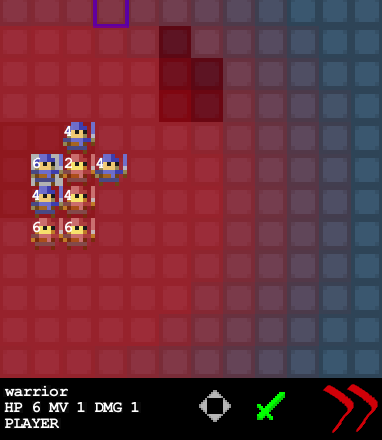
influence map to guide "blind moves" for AI units. Influence map is again a simple concept: for every enemy unit, just compute a map of influence of these units, starting from a max value of 100 from unit position and downgrade this value to 0, like in this image:
After assign utility value, ranking move is really simple!
Select first move
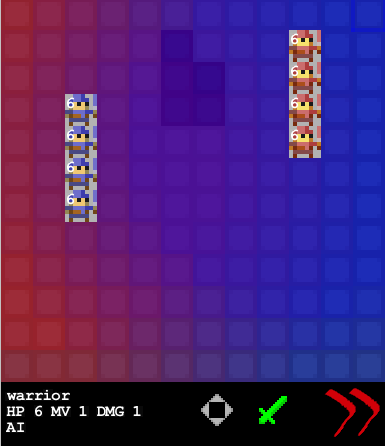
After ranking AI pick first move for unit and execute it and this is really surprising.. it's working! And in following small gif animation you can see two opposing AI fighting each other
See open source code on github